Introduction
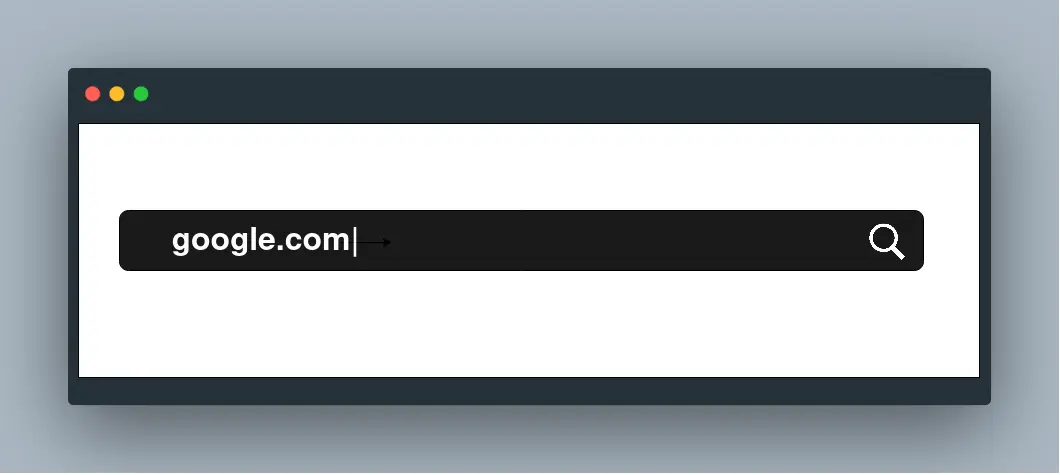
Assuming you woke up from a hybrid sleep twenty years in the future with no memory of how things work, you might wonder what happens when you type google.com into your browser and press Enter.
It looks like a simple action, but several systems work together behind the scenes. Your browser must find the correct server, establish a connection, secure the communication, send the request, and receive the resources needed to display the page.
DNS Request
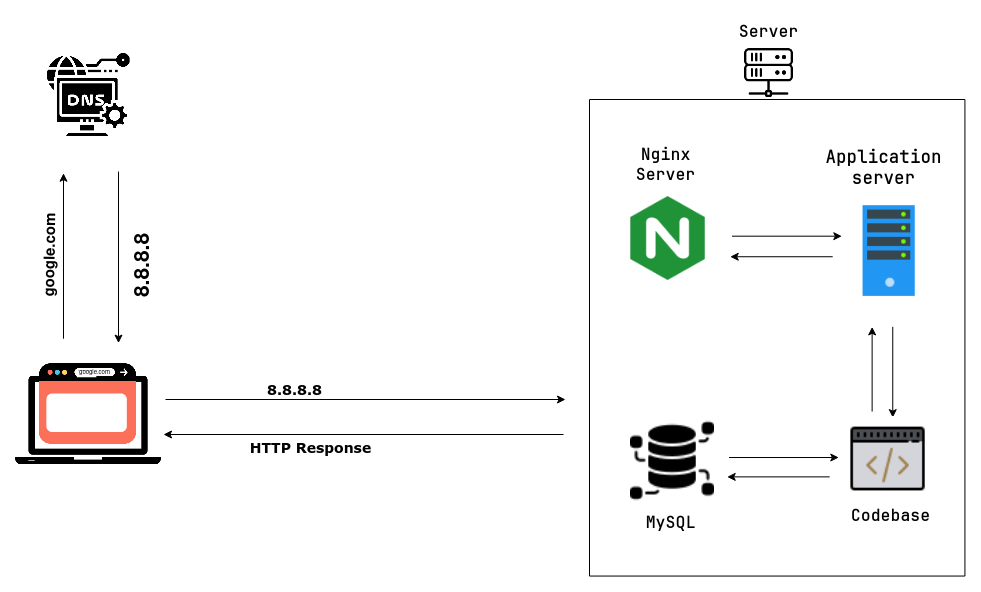
Computers communicate using IP addresses, while people usually remember domain names. The Domain Name System, or DNS, translates a domain such as google.com into an IP address that a computer can use.
Your browser first checks whether it already has the address cached. If not, the request can move through the operating system, router, internet service provider, and DNS resolvers until the correct record is found. An A record maps a domain to an IPv4 address, while records such as MX identify the mail servers responsible for a domain.
Once the browser receives the IP address, it knows where to send the request.
TCP/IP
TCP/IP provides the rules used to move data across networks. IP handles addressing and routing packets toward their destination, while TCP establishes a reliable connection and makes sure the data arrives in the correct order.
Before application data is exchanged, the client and server normally complete a TCP three-way handshake. The client sends a synchronization request, the server acknowledges it and responds, and the client sends a final acknowledgement.
Firewall
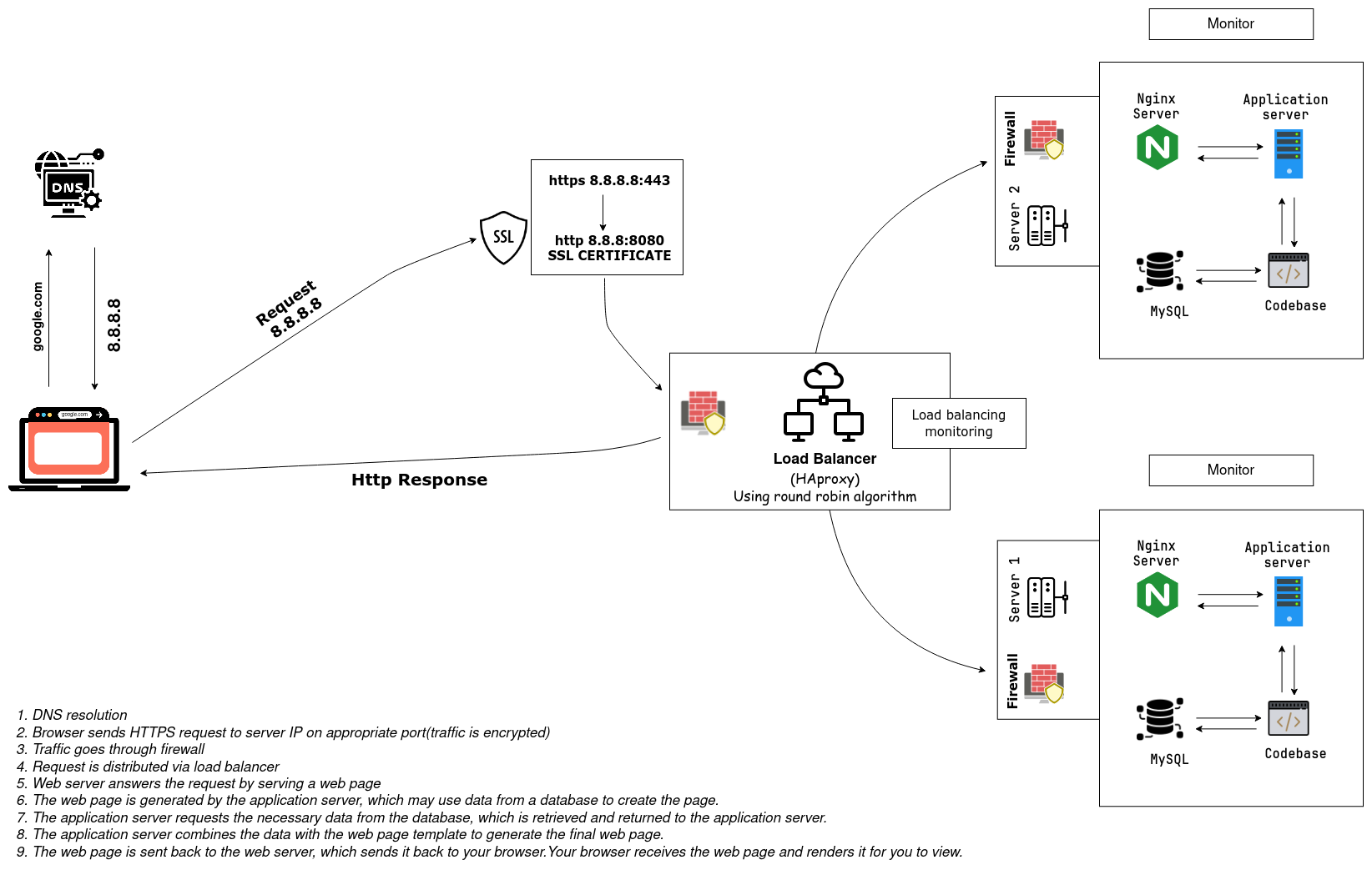
A firewall examines network traffic and decides what should be allowed or blocked according to configured rules. It can restrict access by source, destination, protocol, or port and helps prevent unauthorized connections from reaching the infrastructure.
For a web request, the firewall must allow traffic on the appropriate HTTP or HTTPS port before the request can proceed to the service behind it.
HTTPS and SSL/TLS
HTTPS protects the data exchanged between the browser and the server using TLS. During the TLS handshake, the server presents a digital certificate containing information that allows the browser to verify its identity.
Public-key cryptography helps the browser and server securely agree on session keys. Those session keys are then used to encrypt the communication efficiently. This prevents other parties on the network from easily reading or changing the traffic in transit.
Load Balancer
A load balancer receives incoming traffic and distributes it among available servers. This prevents one server from handling every request and helps the service remain available if an individual server becomes unavailable.
Tools such as HAProxy can use algorithms including round robin to choose a server. Health checks and monitoring allow the load balancer to avoid sending traffic to unhealthy instances.
Web Server
The selected web server receives the HTTP request. Software such as Nginx can serve static resources directly, including HTML, CSS, JavaScript, and images.
If the requested page needs dynamic data or application logic, the web server forwards the request to an application server.
Application Server
The application server runs the code that handles the request. It applies business rules, validates input, communicates with connected services, and prepares the response.
When information is needed from storage, the application server sends a query to the database and uses the returned data to generate the final page or API response.
Database
A database stores and organizes information so that an application can retrieve and update it. A relational database such as MySQL can hold users, settings, content, and other structured records.
The database processes the application's query and returns the requested data. The application server combines that data with the page template, sends the result to the web server, and the web server returns the response to the browser.
Conclusion
Typing google.com and pressing Enter starts a chain of events: DNS resolves the domain, TCP establishes a reliable connection, TLS secures it, firewalls inspect the traffic, and a load balancer selects a healthy server. The web server and application server process the request, databases provide any required data, and the response travels back to your browser to be rendered.
Although this happens in moments, it involves many layers of networking, security, and application infrastructure working together.